Change the brand name
In my-shop, open assets/js/settings.js. Find this line:
"brandName": "Small Hours",Replace only the brand words:
"brandName": "Fieldnote Studio",Save and reload the browser. The header and footer should show Fieldnote Studio. Keep the quotes and comma.
Fieldnote Studio is our fictional example shop.
Change the main heading
Open index.html. Make these two text changes:
Good things,  →  A little practice,
in small doses.  →  a fresh page.
Keep the surrounding h1, br and em tags. Save and reload. The heading should keep its line break and italic words.
Try a temporary heading, then Undo, save and reload. For an older change, restore a backup.
Check your first edit
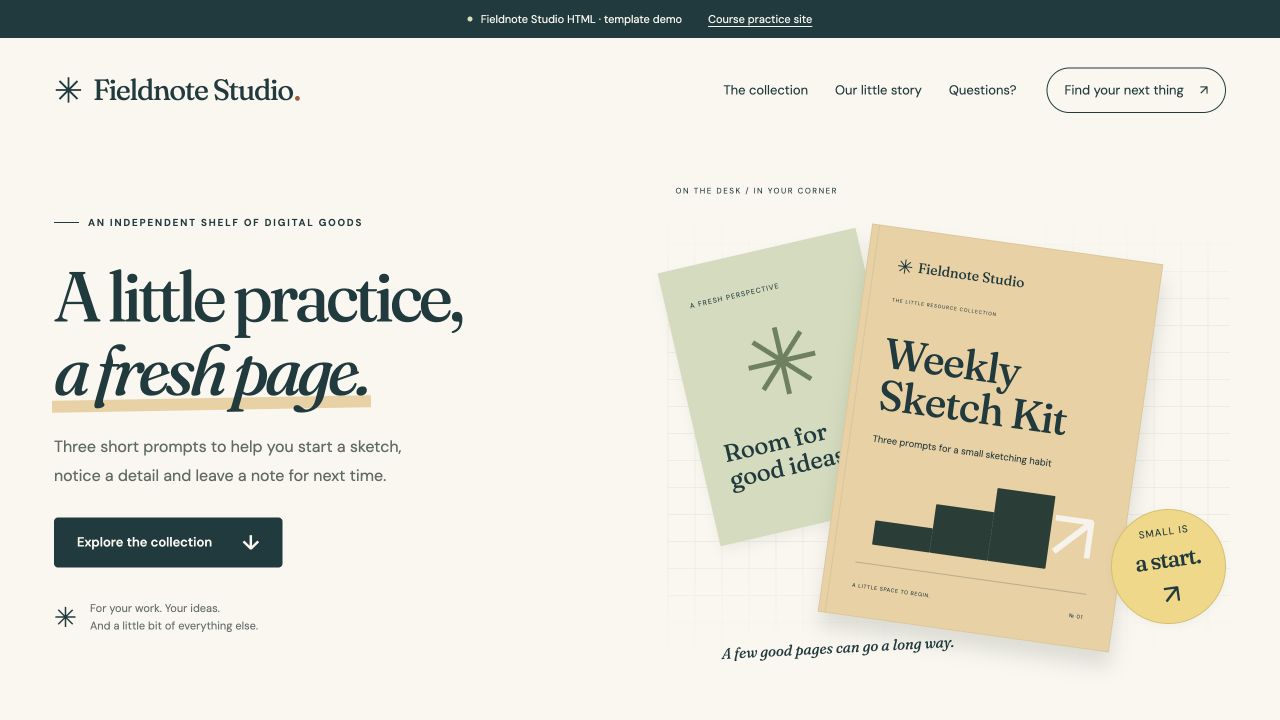
The brand name comes from settings.js. The heading comes from index.html. Check both, then try the menu.
Nothing changed? Save the file and check that the browser opened your my-shop copy.